Before installing Netflix on a Samsung television, one question deserves to be asked: is the model still supported by the application? Compatibility does not solely depend on the year of purchase. It relies on the embedded operating system, and some televisions that have exited the support cycle simply no longer allow access to the service. This article compares the possible situations based on the type of Samsung TV and details concrete solutions for each case.
Tizen System vs. Orsay: Netflix Compatibility by Samsung Platform
The determining factor for accessing Netflix is not the screen size or resolution, but the operating system installed on the television. Samsung uses two main platforms depending on the product generation.
| Platform | Relevant Models | Netflix Compatibility | Security Updates |
|---|---|---|---|
| Tizen | Samsung Smart TVs from 2016 | Yes, native app in the Smart Hub | Active |
| Orsay | Samsung Smart TVs before 2016 | Not guaranteed, reported loss of access | No longer available |
| No Smart OS | Non-connected Samsung TVs | No (screen only) | Not applicable |
Samsung TVs running Orsay no longer receive the security updates required by Netflix. The app may disappear from the Smart Hub or refuse to launch, with no possibility for software correction.
To identify the platform of a television, the model reference is sufficient. Samsung describes the procedure via Settings, Support, Product Information. A detailed guide explains how to install Netflix on your Samsung TV while considering these platform distinctions.
Check Netflix Compatibility Before Any Installation on Samsung TV
The absence of Netflix in the Smart Hub app store is a reliable signal. According to Infobae, this disappearance generally indicates that the model has exited the support cycle, rather than a simple temporary malfunction.
Before concluding a definitive incompatibility, one step remains to try.
Samsung Software Update
Samsung recommends checking if a software update is available. The path is as follows:
- Settings, Support, Software Update, Update Now for an update via the Internet
- Update via USB drive when the TV’s network connection is problematic or the online update fails
- Enable automatic updates to avoid missing future patches
An update may resolve a launch blockage of the application or restore its access in the Smart Hub. However, if the model runs on Orsay, no update will restore Netflix compatibility.
Install Netflix on a Compatible Samsung Smart TV
On a Tizen television, Netflix is often pre-installed. A dedicated button even appears on the remote control of many recent models. If the app does not appear on the home screen, the procedure remains quick.
Access via the Smart Hub
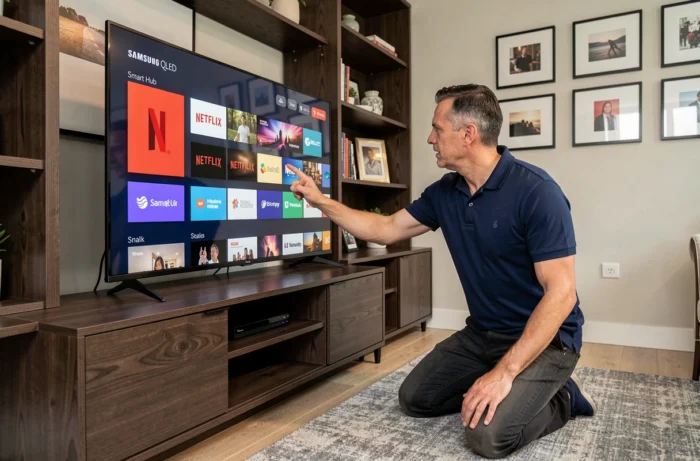
Pressing the Home button on the remote opens the Smart Hub. The Netflix icon appears in the app bar. If it is absent, the Apps section allows searching for Netflix in the integrated store and adding it to the home screen.
Upon first launch, the application requests the Netflix account credentials. An active Netflix subscription is required: the television does not offer to create an account, only to log in.
Prior Network Connection
The television must be connected to the Internet, via Wi-Fi or Ethernet cable. Insufficient bandwidth causes playback interruptions or loading blocks. Netflix adjusts video quality to the available bandwidth, but a weak Wi-Fi signal remains the primary cause of playback issues on Samsung Smart TVs.
Old Samsung TV Without Netflix Compatibility: Concrete Alternatives
For models running on Orsay or non-connected televisions, attempting to manually install an older version of Netflix is not a viable solution. Outdated versions cease to function as soon as Netflix updates its server-side security protocols.
The most reliable solution involves an external streaming device. The television then serves solely as a screen, while the box or stick manages the Netflix application with its own operating system, regularly updated.
- Streaming sticks (Chromecast, Fire TV Stick) plug into an HDMI port and have their own app store
- Boxes (Apple TV, Google TV Streamer) offer a more comprehensive interface and support 4K HDR if the television allows
- A laptop connected via HDMI also allows access to Netflix through a browser, without any compatibility constraints on the TV side
However, casting from a mobile phone via built-in Chromecast only works if the television has this native feature. On an older Samsung running Orsay, an external Chromecast plugged into HDMI fulfills this role.
Summary Table: Which Method According to the Type of Samsung TV
| Situation | Recommended Method | Difficulty |
|---|---|---|
| Smart TV Tizen (2016 and after) | Native Smart Hub App | Immediate |
| Smart TV Orsay (before 2016) | External streaming stick or box | Simple HDMI connection |
| Non-connected TV | External device or HDMI cable from a computer | Simple HDMI connection |
| App present but does not launch | Software update via Settings | Few minutes |
The operating system of the television determines the method of accessing Netflix, not the year printed on the box. A 2016 Samsung Tizen accesses Netflix natively, while a newer model without Smart TV requires an external device. Identifying its platform before any installation attempt avoids unnecessary manipulations and directs directly to the correct solution.